

How to SEO your website - Checklist for On-Page SEO

Many website builders, including Squarespace, Wix, WordPress, and Webflow, provide built-in features to help with SEO. However, understanding and implementing best practices is essential to maximize visibility. Whether you're using Squarespace or another platform, these basic on-page SEO strategies can improve rankings, drive more traffic, and enhance user experience. Below, I’ll break down the key steps to optimise your site effectively.
1. SEO-Friendly Page Titles & Meta Descriptions
Each page on your site should have a unique, compelling title and meta description. These elements help search engines understand your content and entice users to click on your link in search results. Keep titles concise and include relevant keywords naturally.

2. Use Structured Headings (H1, H2, H3)
Properly structuring your content with headings not only improves readability but also helps search engines understand the hierarchy of information on your page. Use:
H1 for the main page title
H2 for primary sections
H3 for sub-sections
This improves the overall user experience and SEO performance.
3. Add Alt Text for Images
Alt text (alternative text) is a crucial element for both accessibility and SEO. It provides a textual description of images for visually impaired users and helps search engines understand what the images represent. Always include descriptive and keyword-rich alt text for your images.

4. Maintain Clean URL Structures
Your URLs should be short, descriptive, and easy to read. Avoid long strings of numbers or unnecessary words.
Instead of: www.yoursite.com/page1234
Use: www.yoursite.com/seo-tips
This makes it easier for search engines and visitors to understand the page’s content.

5. Optimize for Mobile-Friendliness
Since mobile-friendliness is a Google ranking factor, ensuring your site is responsive is essential. Most website builders automatically adjust for different screen sizes, but you should:
Test your site on various devices
Avoid using small fonts or hard-to-click buttons
Ensure images scale properly
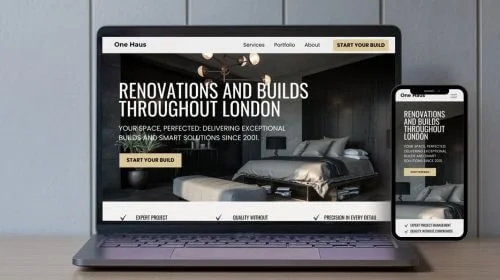
Designed by Certainly Nat
We understand the challenges small business owners face when it comes to building a website that truly reflects their brand’s success. At Certainly Nat we specialise in translating your goals into a stunning online presence that engages your audience and drives growth.
Our process is designed to make the experience stress-free and collaborative, so you can focus on running your business while we bring your vision to life. Whether you need a complete site redesign or a fresh start, we’re here to help.
6. Improve Site Speed
Site speed is another key ranking factor. Many platforms have built-in speed optimization, but you can further enhance it by:
Compressing images before uploading
Minimizing the use of heavy scripts and custom code
Using caching and content delivery networks (CDNs) where available

7. Implement Internal Linking
Internal linking helps guide visitors to key pages on your site and improves SEO by distributing link equity. Best practices include:
Linking to relevant blog posts or service pages
Using descriptive anchor text
Avoiding excessive links on a single page

8. Configure SEO Settings Properly
Finally, make sure all SEO settings in your platform are correctly configured. This includes:
Allowing pages to be indexed by search engines
Setting up automatic redirects for changed URLs
Ensuring a logical and intuitive site structure

Final Thoughts
By following these basic on-page SEO strategies, you can improve your website's search engine rankings and provide a better experience for your visitors—regardless of the platform you're using. But why stop there? If you're looking to upgrade your website with ease and create a site that works for your business—not against it—We can help! Our bold, story-driven Squarespace templates are built to blend beauty with strategy—so your site not only looks incredible but converts visitors into clients on any device.
About Your Blogger, Certainly Nat
I know how overwhelming a website redesign can feel. That’s why I tell your Brand Story using Squarespace so you have a website that reflect your brand’s success while keeping the process smooth and stress-free. With a clear, streamlined design process, I’ll help you build a stunning site that looks great and drives business growth.